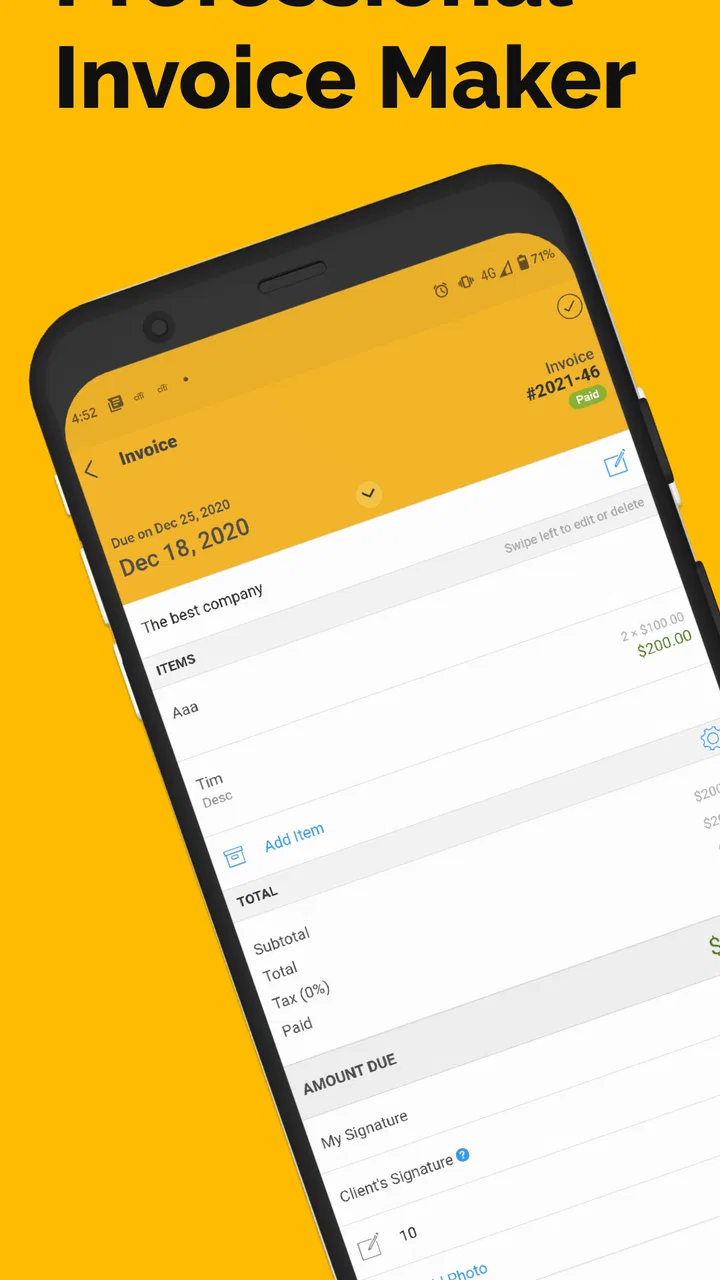
Invoice Maker | Bill clients |
- 4.5
- Rating
- 100.00K
- Installs
- Free
- Price

 Analysis by App-foxy
I found Invoice Maker | Bill clients | most useful when I treated it as a practical work tool rather than a complete accounting system. It is a free business app from Invoice Bee, aimed at people who need to prepare invoices, estimates, and receipts without sitting at a desk. After using it through the kind of small jobs where paperwork can easily be forgotten, I came away with a fairly clear impression: it keeps the basic billing task approachable, but it is not designed to replace every financial workflow a growing company may need.
The app has a 4.5 average from around 6,200 ratings, with more than 100,000 installs. Those figures suggest that it has found a useful place among independent workers and small operators. Its Everyone age rating also fits the straightforward nature of the product. I would particularly point it toward contractors, repair workers, cleaners, consultants, and other people who need to turn completed work into a professional-looking payment request quickly.
How the app feels to read and navigate
The strongest part of the experience is the directness of its purpose. You open a business-focused app and the central idea is immediately understandable: create an invoice, prepare an estimate, or make a receipt. That matters for anyone who does not enjoy administrative software. I never felt that I needed to understand bookkeeping terminology before starting a document.
You May Also Like

 Blood Strike: 2.5 Anniversary
Blood Strike’s Loadouts Turn Every Drop Into a Tactical Gamble
A close look at Blood Strike’s custom loadouts: how fast access to signature weapons reshapes its battle royale rhythm, rewards preparation, and narrows the gap between fights.

 Pandora - Music & Podcasts
Pandora’s Music Is Easy to Start, but Harder to Recover
Pandora’s strength is its low-effort path from a seed to a station. Its weak spot is how much confidence it asks you to place in connection, setup, and quiet recovery.

 8 Ball Pool
8 Ball Pool Is Built on Rivalries, Rematches, and Routine
A close look at the rivalries, rematches, shared routines, and unanswered safety questions that turn a quick pool match into a persistent mobile community.

 Samsung Music
Samsung Music’s Quiet Strength Is Playing What You Already Own
Its reach comes less from spectacle than from dependable access to a personal library. That simplicity is both the app’s strongest retention engine and its ceiling.

 AccuWeather: Weather Radar
AccuWeather Review: A Quick, Clear Forecast for Everyday Decisions
For everyday plans, the best forecast is the one you can understand quickly. AccuWeather makes rain timing, radar, and local conditions easy to act on, with a few trade-offs.

 Hill Climb Racing
Why Hill Climb Racing Still Turns Crashes Into One More Run
A tiny car, a bumpy hill and one more upgrade: Hill Climb Racing keeps resurfacing because its simple chaos makes every near-miss feel personal.
More From Our News Desk



For a first-time user, the most helpful approach is to think of each document as a short sequence: identify the customer, describe the work, add the amount, check the result, and send or save it. That mental model makes the app less intimidating than a full accounting package filled with ledgers, reports, tax settings, and inventory screens. If your needs are limited to producing client-facing paperwork, that simplicity is a genuine advantage.
Readability is also important in an app that may be used after a long day on site. Invoice details contain information that must be checked carefully, especially names, quantities, rates, and totals. I recommend pausing before sending anything and reviewing the document as if you were the customer. A quick visual check can catch a misspelled name or an incomplete description that might otherwise lead to an unnecessary follow-up.
One useful habit is to separate the estimate stage from the invoice stage. I would prepare an estimate before starting work, then use the finished job as the point at which I create the invoice. This keeps the customer conversation clearer and reduces the temptation to write a vague description at the end of the day. The app supports that kind of lightweight workflow without forcing a small operator into formal project-management habits.
Why the simple layout helps busy users
Invoice Maker is easier to approach than desktop invoicing software because it suits short sessions. A contractor standing beside a vehicle, a freelancer between appointments, or a sole trader answering a client message can focus on one document instead of navigating a large business dashboard. That is especially helpful for people who find dense interfaces tiring or distracting.
There is a trade-off, though. A simpler interface usually means fewer visible controls and less room for advanced organization. If you manage many customers, recurring work, complicated tax arrangements, stock, expenses, or detailed payment reconciliation, you may eventually want software built around those tasks. This app makes the document itself the center of attention; it does not feel like a broad financial command center.
The developer, Invoice Bee, has kept the product positioned around everyday billing rather than specialist accounting. The current version is 3.1.50, and the app requires Android 8.0 or later. That compatibility point is worth checking before planning to use it on an older phone. On a supported device, the more important question is not whether it can make a document, but whether its document workflow matches the way you already work.
Using it with different abilities and working conditions
When I think about accessibility here, I focus on practical access rather than assuming that a business app will suit everybody equally. The uncluttered purpose is a good starting point for users who prefer a small number of choices. Someone who becomes overwhelmed by complicated accounting platforms may find it easier to complete a single invoice in this environment.
People with reading difficulties can make the process more manageable by keeping item descriptions short and consistent. Instead of writing a long paragraph about a job, I would use a clear service name and place the necessary detail in a separate note if the app’s document structure allows it. Consistent wording also helps customers understand repeated services, which is useful when the same type of work is billed regularly.
For users with reduced vision, the most important practical safeguard is careful review before sending. I would not rely on a quick glance at a small phone screen for totals or customer details. Increasing the phone’s text or display size, using a brighter environment, and checking one field at a time can make the task less error-prone. These are device-level adjustments rather than special Invoice Maker tools, but they can make a real difference during mobile use.
Motor considerations matter because invoice creation often involves repeated tapping and typing. A person with limited dexterity may find a long itemized document slower to prepare than someone entering a single service and total. My advice is to prepare customer and service information before starting, so the phone session is used for confirmation rather than rushed data entry. A stylus, voice input provided by the operating system, or a larger-screen device may also help, depending on the user’s needs.
There is another small but important point: billing work often happens in distracting places. A noisy worksite, bright outdoor light, gloves, wet hands, or a weak connection can make any mobile form harder to use. I would avoid creating the final invoice while moving between jobs. A safer routine is to record the essentials immediately, then complete and inspect the document when standing still and able to concentrate.
A realistic day-to-day workflow
Imagine I have finished a small repair at a customer’s home. Before leaving, I want to record what I did, the agreed charge, and the customer’s details while the information is fresh. I can use the app to turn that information into an invoice rather than promising to deal with paperwork later. If the customer is still deciding whether to proceed with a larger job, an estimate is more appropriate than an invoice, and that distinction helps keep the conversation honest.
Later, when payment is made, a receipt gives me a separate way to mark the completed transaction for the customer. The value is not just speed. It is the ability to keep the three moments of a small job distinct: proposed work, requested payment, and acknowledged payment. That separation can prevent confusion when a customer asks what was agreed, what remains unpaid, or which job a payment covered.
For better accuracy, I would create a personal checklist outside the app or in a note on the phone. Mine would include the customer name, service date, work description, amount, payment status, and a final total check. This is a non-obvious advantage of using a focused invoice tool: because it does not try to run the whole business, I can pair it with a simple routine tailored to my trade instead of learning a complicated system.
Where the free model fits, and where it may not
The app is free to start, which lowers the barrier for someone testing mobile invoicing for the first time. There are in-app purchases ranging from $5.99 to $59.99 per item, so I would review the available upgrade choices before building an important business process around features that may require payment. The free entry point is useful, but “free” should not be confused with “every possible capability is included.”
For a new sole trader, the sensible approach is to begin with a few ordinary documents and see whether the workflow feels comfortable. I would test an estimate, an invoice with more than one line, and a receipt before relying on it for a busy month. That trial reveals more than a store summary because it shows whether entering your particular services and checking the finished paperwork is fast enough.
Compared with handwritten receipts, the app should offer a more organized digital process and a cleaner way to prepare client documents. Compared with a word processor, it is more purpose-built for billing, so I would choose it when I want repeatable invoice work rather than designing every page manually. Compared with full accounting software, it is likely to feel less demanding, but it also leaves more responsibility with me for tracking the wider financial picture.
That trade-off is central. If I only need to bill clients and provide estimates or receipts, a focused app is easier to maintain than a large subscription platform. If I need payroll, expense management, bank reconciliation, detailed tax reporting, team permissions, or extensive business analytics, I would look elsewhere. Choosing the smaller tool is sensible only when the smaller scope matches the job.
Remaining barriers before making it your main billing tool
The biggest barrier is not the basic act of making a document; it is everything around that document. An invoice app can help me state what a customer owes, but I still need a reliable method for recording whether it was paid, storing business records, following local tax obligations, and reconciling money received. I would never assume that creating an invoice automatically completes those responsibilities.
Another limitation is the phone format itself. Mobile entry is convenient, but it can be tiring when a job contains many materials, multiple rates, or detailed notes. A larger screen or desktop-oriented system may be better for preparing a batch of invoices. I would use this app for quick, individual billing and consider another tool when the work becomes repetitive at scale.
Users who need strong customization should also think carefully before committing. A basic invoice can be perfectly adequate for a local service, yet some businesses need very specific branding, legal wording, purchase-order references, payment terms, or industry fields. I would check a sample finished document against my real requirements rather than assuming that a general invoice maker will cover every professional convention.
There is also a human accessibility barrier: financial paperwork can be stressful even when the interface is simple. Users with cognitive fatigue may benefit from preparing templates, using the same item names each time, and completing documents in a quiet place. Users who share work with another person should agree on a naming and filing routine, because a neat invoice is not enough if nobody can later find the related record.
Privacy and device habits deserve ordinary caution as well. Since billing documents contain customer and business information, I would use a phone protected by a screen lock and avoid sending a document without checking the recipient and contents. That is sensible practice for any mobile billing app. The convenience of preparing paperwork away from an office should not encourage careless handling of sensitive details.
Finally, the app is not the right choice for someone who wants a guided business-finance system from the beginning. A new company with several workers or complex financial obligations may save time by adopting a broader platform immediately, even if it feels harder to learn. Invoice Maker makes more sense when independence, speed, and straightforward client documents matter more than centralized financial control.
My inclusive verdict on Invoice Maker
I see Invoice Maker as a practical option for people who want to bill clients from an Android phone without taking on the weight of a full accounting suite. Its business focus is clear, its age rating is Everyone, and its position as a free app makes it approachable for a small operator testing a new routine. The developer is Invoice Bee, and the product has been available since October 21, 2016, giving it a longer presence than a brand-new experiment.
What I like most is the way it supports short, purposeful sessions. I can imagine using it after a repair, consultation, delivery, or other small job where the important thing is to produce a clear document before the details become hazy. Estimates and receipts also give the workflow useful stages instead of treating every customer interaction as the same kind of bill.
The best reason to choose it is simple: it reduces the distance between finishing work and documenting it. That can help independent workers who struggle to keep paperwork current, especially when a desktop accounting package would be too much effort. The app is also easier to pair with personal accessibility routines such as larger device text, voice entry, checklists, quiet review time, and a consistent set of service descriptions.
I would be more cautious if I needed advanced financial management, large-scale batch processing, highly specialized invoice layouts, or a shared company-wide system. The in-app purchase range from $5.99 to $59.99 per item also means I would investigate the upgrade path before assuming the free version will remain sufficient. Those are not reasons to dismiss it; they are reminders to match the tool to the size and complexity of the business.
Overall, I would recommend it to a freelancer, contractor, or small service provider who wants a focused invoice maker rather than a complete accounting department in an app. I would start with a controlled test, check the readability of the finished documents, establish a filing routine, and decide whether the available workflow handles real customer situations. For the right user, that modest approach is precisely its strength.
FAQs for Invoice Maker | Bill clients |
01What is Invoice Maker | Bill clients designed for?
Invoice Maker | Bill clients is designed to help freelancers, independent professionals, contractors, and small businesses create and send professional invoices from a mobile device. During testing, the app was useful for preparing bills quickly, organizing customer details, adding products or services, and keeping basic payment information in one place without needing complicated accounting software.
02Can I customize invoices before sending them to customers?
Yes, the app generally allows users to personalize invoices with business information, customer details, descriptions of products or services, quantities, prices, taxes, discounts, notes, and payment terms. Depending on the available version and settings, you may also be able to add branding elements such as a company name or logo. It is worth reviewing the final preview carefully before sending.
03How can I send or share an invoice created in the app?
After preparing an invoice, users can typically generate a professional document and share it with a client through common options such as email, messaging applications, or other installed sharing services. The exact options depend on your phone and operating system. Before sending, check that the recipient’s email address, invoice number, due date, and payment instructions are correct.
04Does Invoice Maker | Bill clients include payment tracking or accounting features?
The app is primarily focused on creating and managing invoices, so it may provide basic tools for recording invoice status, reviewing past documents, or identifying paid and unpaid bills. However, it should not automatically be considered a complete accounting platform. Businesses requiring bank reconciliation, payroll, advanced tax reports, inventory management, or detailed financial statements may need additional software.
05Is Invoice Maker | Bill clients free to use, and are there limitations?
The app may offer free invoice creation or a limited set of features, while advanced tools can depend on subscriptions, in-app purchases, or usage restrictions. Potential limitations may include the number of invoices, available templates, branding options, export formats, cloud storage, or removal of advertisements. Before downloading, review the current store listing and subscription terms to understand the total cost.
Pros
- Create professional invoices quickly from your phone.
- Useful templates help maintain a consistent business image.
- Track invoice status and outstanding client payments.
- Supports multiple currencies for international customers.
- Works well for freelancers and small businesses on the go.
Cons
- Some advanced features may require a paid subscription.
- Customization options can feel limited for complex invoices.
- Payment processing availability may vary by country.
- Large invoice lists can become difficult to organize.
- A stable internet connection may be needed for some features.

Invoice Maker | Bill clients |
Gallery